Site Survey
Site Survey lets you bypass certain elements of KYC, but is only available for Elavon Applications.
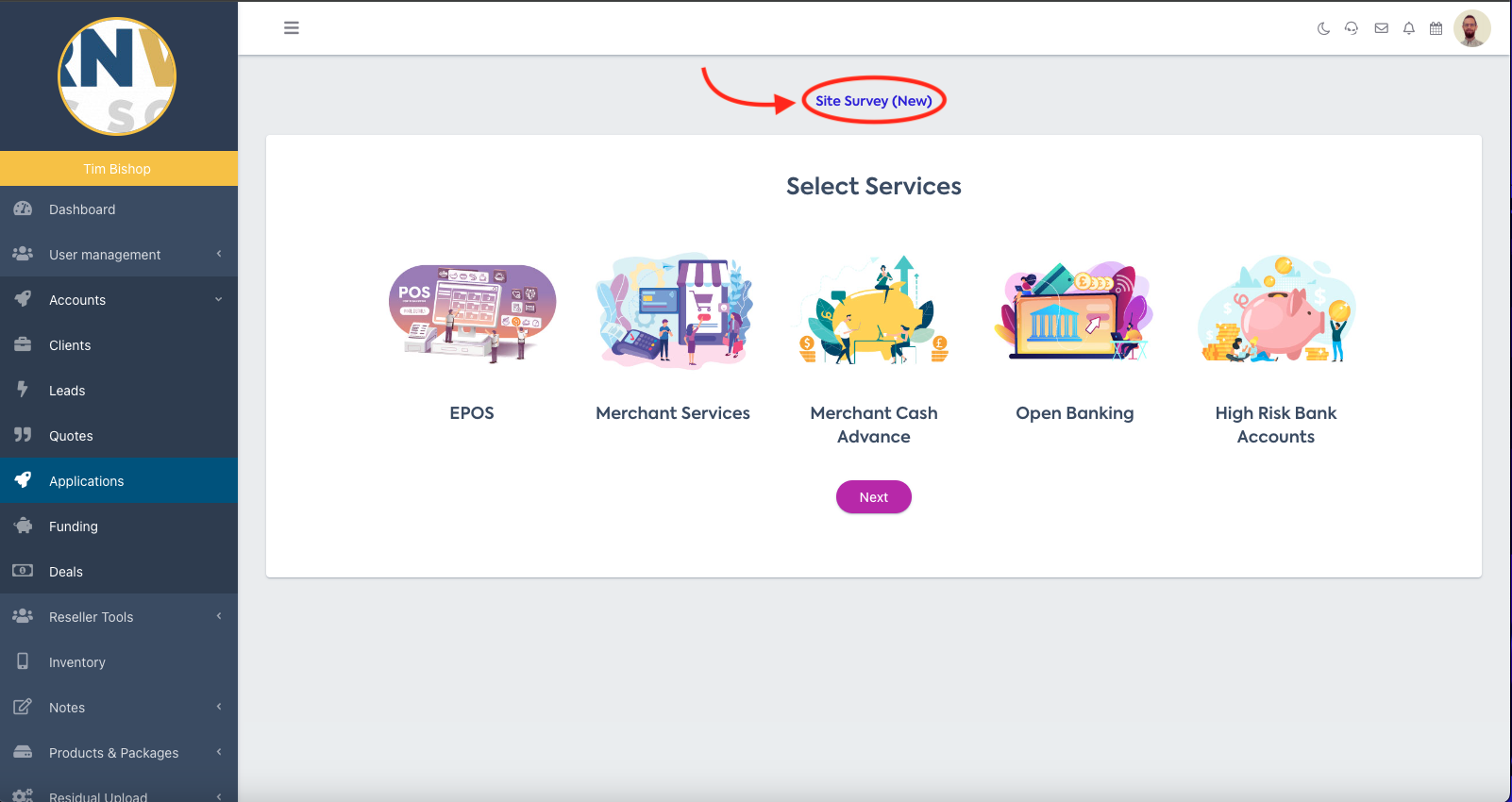
To complete a site survey, hit 'Site Survey' at the top of the page once you're in 'Add Application'.
You'll be taken to the page shown below, where you can input the information you have gathered from your site visit.
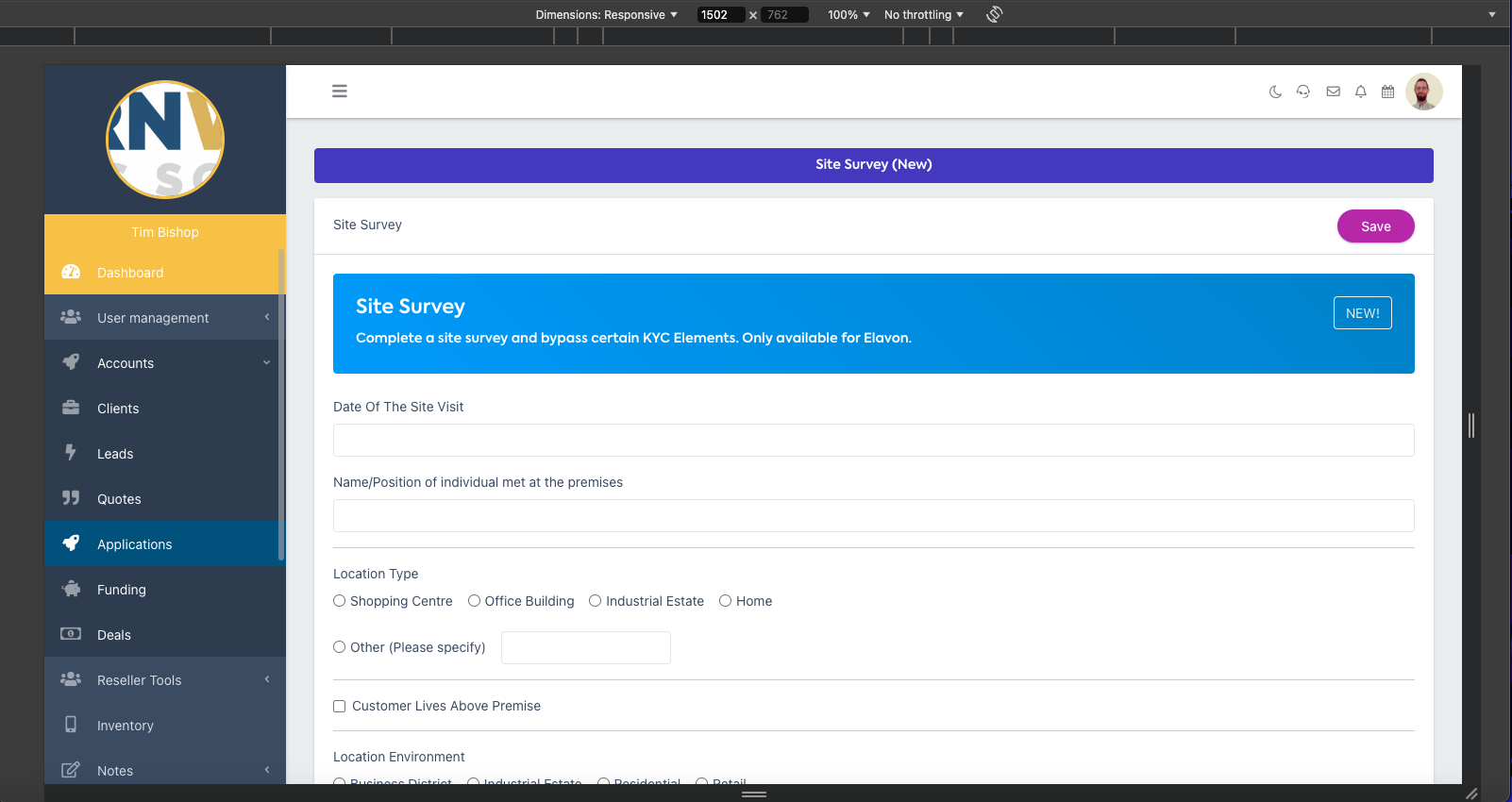
💡 Since Site Visit allows you to bypass some KYC elements, you need to ensure these details are 100% accurate, or you risk your application being rejected.
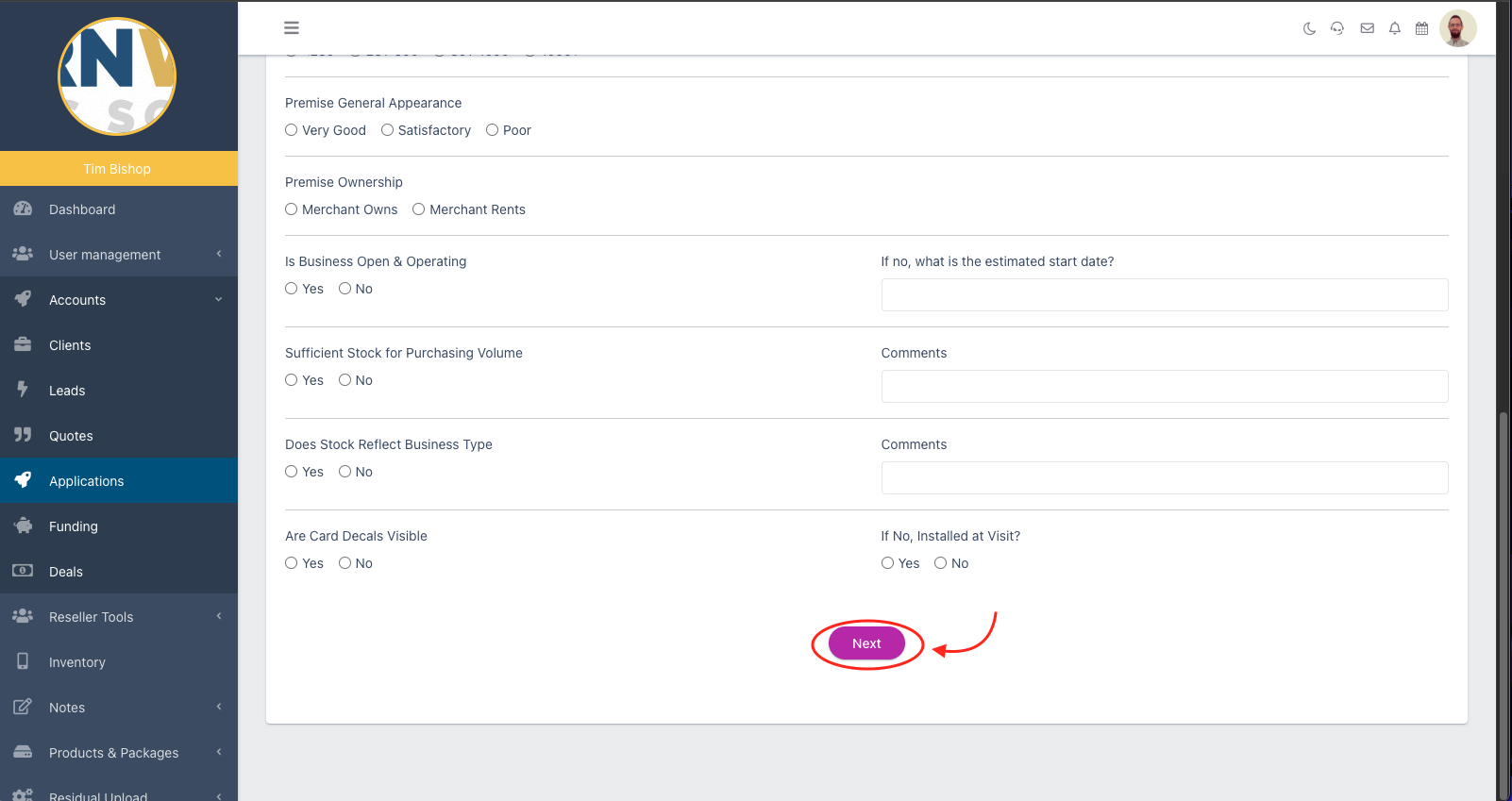
When you've finished inputting all the details from your Site Survey, hit 'Next' at the bottom.